
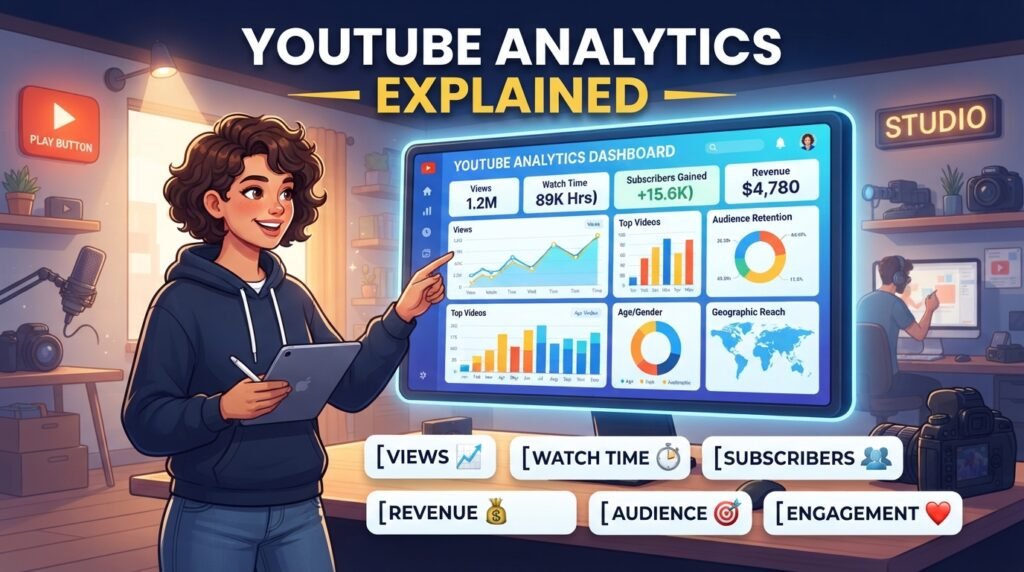
YouTube Analytics Explained
Creating great videos is only one part of growing a successful YouTube channel. To understand what works and what doesn’t, you need to use YouTube Analytics. This powerful tool helps creators track their channel’s performance, understand audience behavior, and make better content decisions.
Whether you’re a beginner or an experienced creator, learning YouTube Analytics can help you improve your videos, gain more subscribers, and increase watch time.
In this guide, we’ll explain YouTube Analytics in simple terms and show you how to use it effectively.
What Is YouTube Analytics?
YouTube Analytics is a free tool available inside YouTube Studio that provides detailed information about your channel and videos.
It helps you answer questions like:
- How many people watched your videos?
- Where did viewers find your content?
- How long did they watch?
- Which videos gained the most subscribers?
- Which thumbnails perform best?
By understanding these insights, you can create content your audience actually wants to watch.
Why Is YouTube Analytics Important?
Many creators upload videos without checking their performance. This often leads to slow channel growth.
YouTube Analytics helps you:
- Understand viewer behavior
- Improve future videos
- Increase watch time
- Find successful content ideas
- Improve click-through rate (CTR)
- Grow subscribers naturally
Instead of guessing, you make decisions based on real data.
How to Access YouTube Analytics
Accessing Analytics is simple.
- Open YouTube Studio.
- Select your channel.
- Click Analytics from the left menu.
- Explore different reports and performance metrics.
You’ll see detailed information for your channel and individual videos.
Key Sections of YouTube Analytics
1. Overview
The Overview tab gives a quick summary of your channel’s performance.
You’ll find information such as:
- Views
- Watch time
- Subscribers
- Estimated revenue (if monetized)
- Top-performing videos
This section provides a snapshot of your recent growth.
2. Reach
The Reach tab explains how viewers discover your videos.
Important metrics include:
Impressions
The number of times YouTube showed your video thumbnail to viewers.
More impressions mean YouTube is recommending your content more frequently.
Click-Through Rate (CTR)
CTR measures how many people clicked your video after seeing the thumbnail.
A good CTR generally indicates that your title and thumbnail are attractive.
If your CTR is low:
- Improve your thumbnail.
- Write better titles.
- Match your thumbnail with your video content.
3. Engagement
Engagement tells you how viewers interact with your videos.
Important metrics include:
Watch Time
Watch Time measures the total amount of time viewers spend watching your content.
Higher watch time often helps videos perform better in YouTube recommendations.
Average View Duration
This shows the average amount of time viewers watch before leaving.
Longer viewing durations usually indicate more engaging content.
4. Audience
The Audience tab helps you understand who watches your videos.
You’ll discover:
- Returning viewers
- New viewers
- Unique viewers
- Subscriber growth
- Viewer age groups
- Gender
- Countries
- Languages
Understanding your audience helps you create more relevant content.
Understanding Audience Retention
Audience Retention is one of the most valuable YouTube metrics.
It shows exactly when viewers stop watching your videos.
If many viewers leave during the first minute, you may need:
- Better introductions
- Faster pacing
- More engaging storytelling
- Stronger hooks
Improving retention often leads to better overall video performance.
Traffic Sources Explained
Traffic Sources show where your viewers come from.
Common traffic sources include:
- YouTube Search
- Suggested Videos
- Browse Features
- External Websites
- Playlists
- Channel Pages
Knowing your biggest traffic source helps you improve your promotion strategy.
Subscriber Analytics
Analytics also shows which videos gained the most subscribers.
Study these videos carefully.
Ask yourself:
- What topic did I cover?
- Why did viewers subscribe?
- Can I create similar content?
Repeating successful content ideas can help your channel grow consistently.
Real-Time Analytics
Real-Time Analytics displays views from the last 48 hours and the last 60 minutes.
This feature is useful for:
- Tracking newly published videos
- Measuring promotional campaigns
- Monitoring viral content
If a video performs well shortly after publishing, continue promoting it.
Common Mistakes Beginners Make
Many creators ignore valuable data.
Avoid these mistakes:
- Focusing only on total views
- Ignoring audience retention
- Not checking CTR
- Uploading without analyzing previous videos
- Changing niches too frequently
Analytics should guide your content decisions.
Tips to Improve Your Analytics
Use these strategies to improve your channel performance:
- Create engaging thumbnails.
- Write SEO-friendly titles.
- Publish consistently.
- Focus on viewer retention.
- Answer audience questions.
- Study successful videos.
- Improve audio and video quality.
- Upload content that solves real problems.
Small improvements can lead to significant growth over time.
Best Metrics Every Creator Should Monitor
If you’re just starting, focus on these key metrics:
| Metric | Why It Matters |
|---|---|
| Views | Measures video popularity |
| Watch Time | Shows total viewing time |
| Average View Duration | Indicates audience engagement |
| CTR | Measures thumbnail and title performance |
| Audience Retention | Shows where viewers leave |
| Subscribers | Tracks channel growth |
| Traffic Sources | Reveals where viewers come from |
Tracking these metrics regularly will help you identify opportunities for improvement.
Final Thoughts
YouTube Analytics is much more than a collection of numbers. It provides valuable insights into your audience, content performance, and growth opportunities. By understanding metrics such as watch time, audience retention, click-through rate, and traffic sources, you can create better videos and make informed decisions that support long-term channel growth.
Remember, successful creators don’t rely on luck—they analyze data, learn from their audience, and continuously improve their content.
Frequently Asked Questions (FAQs)
Is YouTube Analytics free?
Yes. YouTube Analytics is completely free and available to every creator through YouTube Studio.
What is a good YouTube CTR?
A good click-through rate varies by niche and audience, but improving your thumbnail and title can generally increase CTR over time.
Why is audience retention important?
Higher audience retention indicates that viewers find your content engaging, which can improve your video’s visibility.
How often should I check YouTube Analytics?
Checking Analytics once or twice a week is usually enough to monitor growth and identify trends without becoming distracted by daily fluctuations.
Can Analytics help me get more subscribers?
Yes. Analytics helps you identify which videos perform best so you can create similar high-quality content that attracts more subscribers.